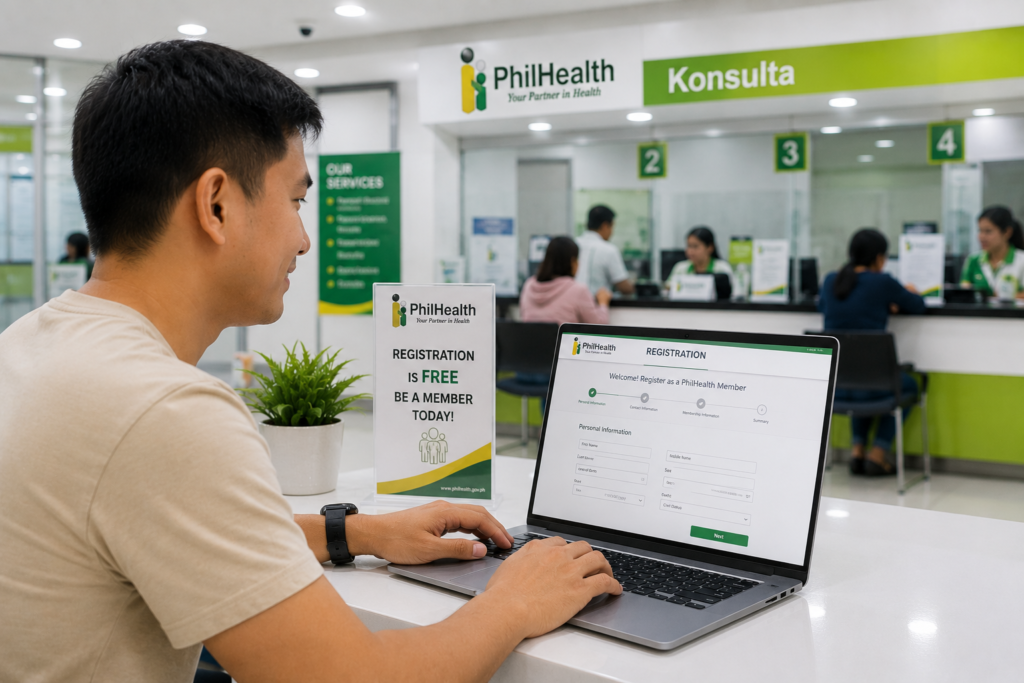
How to Register for PhilHealth Online (2026)
In the Philippines, having reliable healthcare coverage is a vital safety net for you and your family. Under the Universal Health Care (UHC) Act, every Filipino citizen is automatically enrolled in the National Health Insurance Program administered by the **Philippine Health Insurance Corporation (PhilHealth)**. However, being enrolled by law is not the same as being active in the system. To claim benefits during hospitalisation or medical emergencies, you must be officially registered, have a PhilHealth Identification Number (PIN), and possess an updated Member Data Record (MDR).
How to Register for PhilHealth Online PhyliSys (2026)
Historically, securing your PhilHealth PIN involved traveling to a local PhilHealth Local Health Insurance Office (LHIO), filling out a paper PhilHealth Member Registration Form (PMRF), and waiting in long queues. Fortunately, the **PhilHealth Electronic Registration System (ERS)** allows you to complete the entire registration process online. Whether you are a first-time job seeker, a freelancer, a voluntary member, or an OFW, you can secure your health coverage right from your home.
In this comprehensive 2026 guide, we walk you through the entire **PhilHealth online registration** process. We cover the eligibility rules, the necessary documentary requirements, a step-by-step registration tutorial, and how SSS integrations and other government services interact with your healthcare profile.
Key Takeaways
- Online Portal Convenience: You can register for PhilHealth and secure your PhilHealth Identification Number (PIN) entirely online without visiting a branch.
- Prepare Scanned Documents: You must upload clear digital copies of your valid identity documents (like your passport or national ID) to complete the registration.
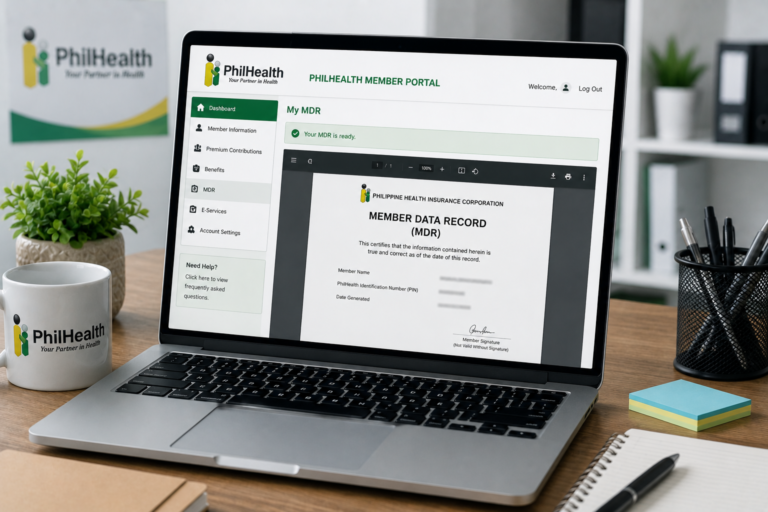
- MDR is Instantly Downloadable: Once your application is approved, you can complete your PhilHealth MDR download online to use as proof of membership.
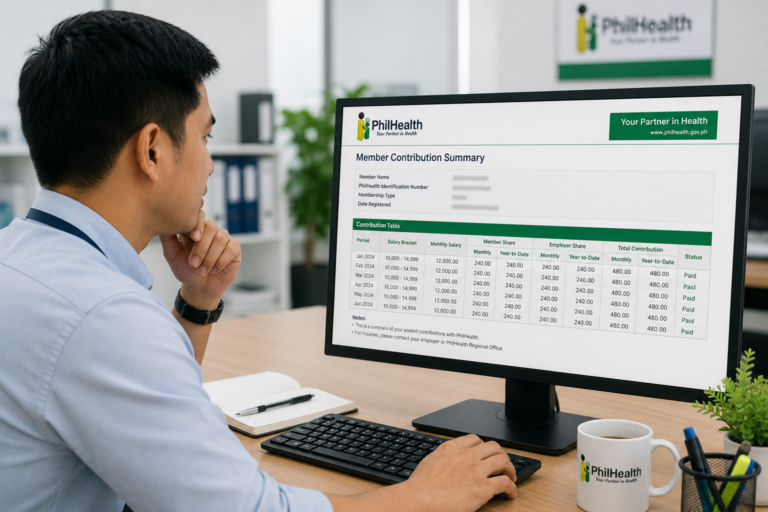
- UHC Mandate: Registration is mandatory for all citizens, and keeping your premiums updated ensures you avoid penalties on the PhilHealth contribution table.
- Add Dependents Early: You can include qualified dependents (like children or a spouse) during the registration to grant them automatic healthcare coverage at no extra contribution cost.
Overview: The PhilSys and PhilHealth Digital Shift
The PhilHealth Electronic Registration System is part of a broader government effort to digitise public services in the Philippines. By linking database records, government agencies are making it easier for citizens to establish and verify their identities online. For instance, when you complete your national ID appointment online and undergo biometric verification, your record becomes an official proof of identity that can be used to unlock other government accounts.
This digital push extends to other crucial government portals. Members can easily manage SSS records by following our guide on My.SSS account setup and check their contribution status using the SSS contribution table. Similarly, PhilHealth’s online portal allows members to manage health insurance details, generate billing numbers, and keep track of premium payments without stepping foot inside a physical office.
Eligibility: Who Can Register Online?
Under the Universal Health Care law, all Filipino citizens are classified into two main categories of members, both of which are eligible to register online:
- Direct Contributors: Members who have the financial capacity to pay premiums. This includes:
- Employed members (private and government sector employees).
- Self-employed individuals, professionals, and freelancers.
- Voluntary members, including non-working spouses.
- Overseas Filipino Workers (OFWs).
- Lifetime members (those who have paid at least 120 monthly contributions and reached retirement age).
- Indirect Contributors: Members whose premiums are subsidized by the government. This includes:
- Indigents and families identified by the DSWD.
- Senior citizens who are not covered as direct contributors.
- Persons with disabilities (PWDs).
Requirements: What Documents Do You Need?
To register successfully through the online electronic system, you must prepare clear, digital copies (PDF, JPG, or PNG formats, under 2MB in size) of the following requirements:
- PhilHealth Member Registration Form (PMRF): While the online system features a digital form, it is highly recommended to download the PMRF PDF, fill it out, sign it, and keep a scanned copy as a backup.
- Valid Identification Cards: You must present at least one primary ID or two secondary IDs to verify your identity. The most accepted credentials are:
- Your Philippine Passport.
- Your UMID Card.
- Your physical National ID. If you need to verify your ID, check out our guide on National ID QR code verification. If you lost your card, see our guide on how to replace a lost National ID. Make sure you meet the general National ID requirements before applying.
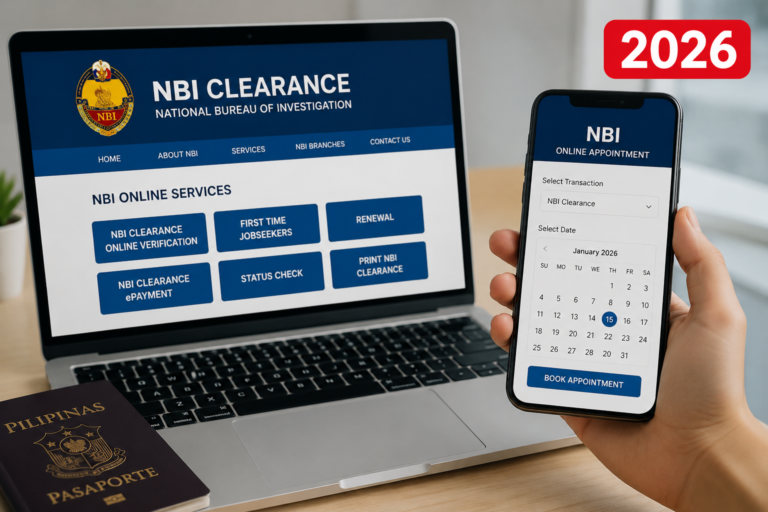
- A valid NBI Clearance. If you need to apply for one, follow our tutorials on NBI online appointment booking and NBI renewal online. Review the updated NBI requirements, and check your status using the NBI hit status checker and the general NBI application status tracker.
For a complete list of valid IDs, read our dedicated guide on PhilHealth ID requirements.
- Supporting Documents for Dependents (Optional): If you plan to add dependents during your registration, you must prepare the following:
- For your spouse: Scanned copy of your PSA Marriage Contract.
- For your children: Scanned copies of their PSA Birth Certificates.
For a detailed breakdown of who qualifies, read our guide on how to add dependents to PhilHealth.
Step-by-Step Process: How to Register Online
Follow these steps to complete your registration using the official online portal:
Step 1: Access the PhilHealth Electronic Registration System (ERS)
Open your web browser and go to the official portal homepage. Navigate to the online services page and select the ERS or Member portal link. Make sure the URL ends with .gov.ph to ensure you are on the secure, official government portal.
Step 2: Start the Online PMRF Form
Click on the “Register” or “Sign Up” button for new members. You will be presented with a digital version of the PMRF. Carefully input your demographic details:
- Your full name (matching your valid IDs).
- Your date of birth, place of birth, and sex.
- Your marital status and nationality.
- Your current residential address and contact details (active email and mobile number).
Step 3: Select Your Membership Category
Choose the appropriate membership category (e.g., Self-Employed, Voluntary, or Employed). If you are a first-time job seeker registering under the First Time Job Seekers Assistance Act (RA 11261), select the corresponding option to avail of free registration benefits.
Step 4: Upload Your Supporting Documents
Navigate to the upload section. Upload the scanned copies of your valid identity documents. If you are uploading a National ID, you can use our National ID status check guide to verify your digital credentials. Ensure the images are clear and the text is legible to avoid rejection during the validation phase.
Step 5: Add Your Dependents (If Applicable)
If you want to add your children or spouse, fill out the dependents section and upload their birth or marriage certificates. This is highly recommended because it links their names to your PIN, granting them automatic coverage. Refer to our guide on how to add dependents to PhilHealth for more information.
Step 6: Review and Submit Your Application
Review all the information you entered. Once verified, click the “Submit” button. The system will generate a temporary transaction reference number. You will receive an email acknowledging your application.
Processing Time and Card Issuance
Once you submit your application online, the PhilHealth validation team will review your uploaded documents. This process typically takes **1 to 3 business days**.
If your application is approved, you will receive an email containing your permanent **PhilHealth Identification Number (PIN)** and a PDF copy of your Member Data Record. You can then log in to the portal and perform a PhilHealth MDR download to print your official record.
Your printed MDR and temporary paper ID card are fully valid for claiming benefits. If you want a physical PVC PhilHealth ID card, you can visit any PhilHealth office, present your printed MDR, and request one for a minimal fee, provided you bring the correct PhilHealth ID requirements.
Frequently Asked Questions
Can I register for PhilHealth online if I already have a PIN?
No. If you already have a PhilHealth Identification Number (PIN), you do not need to register again. Creating a duplicate account is illegal and can block your benefits. If you forgot your PIN, you can recover it by logging into the member portal or emailing PhilHealth customer support with your valid IDs.
How do I pay my PhilHealth contributions after registering?
If you are formally employed, your employer will automatically deduct your share from your salary and remit it. If you are self-employed or a voluntary member, you must pay your contributions based on the PhilHealth contribution table. You can generate a billing statement online and pay via GCash, Maya, or accredited payment centers.
Can I add my parents as dependents during online registration?
You can add your parents as dependents only if they are 60 years old and above, and if they are not active PhilHealth members themselves. You must upload their birth certificates and valid senior citizen IDs. For more details on qualified dependents, read our guide on how to add dependents to PhilHealth.
What should I do if my online registration is rejected?
If your application is rejected, SSS or PhilHealth will send an email explaining the reason (e.g., blurry document uploads or name mismatch). You can log back into the Electronic Registration System, update the incorrect information or upload clearer document scans, and resubmit your claim.
Official Resources
Ensure you are using official, secure portals when entering your personal data and processing payments:
- PhilHealth Official Website (Forms and Contribution Guides)
- PhilHealth Member Inquiry Portal (Check Contribution History)
- SSS Contribution Table Guide
Conclusion
Registering for **PhilHealth online** is a fast and convenient way to secure critical healthcare benefits for you and your family. By using the electronic registration system, you can bypass the long lines at government offices, submit your PMRF, and get your PhilHealth Identification Number in just a few days.
Remember to prepare your valid identity documents beforehand, double-check your spelling, and include your qualified dependents early to ensure they are covered. Once approved, complete your MDR download so you have a physical copy ready for medical emergencies.
Stay proactive with your health coverage by regularly checking your status on the PhilHealth contribution table and keeping your premiums updated to enjoy uninterrupted health insurance benefits.
Disclaimer
PublicServicesDesk.com is an independent informational website and is not affiliated with, endorsed by, or operated by the Philippine Health Insurance Corporation (PhilHealth) or the Philippine Government. Information is provided for general educational purposes only and may change over time. Always verify important details through official PhilHealth channels before submitting applications or making payments.


[…] and is commonly used as a supporting document for PhilSys registration. See our philsys registration and National ID guide for more […]