Home >
How to Download Your PhilHealth MDR Online (2026 Guide)
When medical emergencies strike, the last thing you want to worry about is sorting through piles of paperwork or lining up at a government office to prove your health insurance coverage. In the Philippines, the **Member Data Record (MDR)** is the most important document issued by the **Philippine Health Insurance Corporation (PhilHealth)**. It serves as official proof of your active membership and contains a list of your registered dependents, your PhilHealth Identification Number (PIN), and your contribution category.
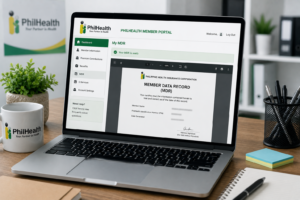
How to Download Your PhilHealth MDR Online (2026 Guide)
Hospitals and medical centers require a copy of your MDR before they can process your health benefits upon discharge. If your MDR is outdated, or if your dependents are not listed, you may be forced to settle the bill in full and go through the lengthy process of reimbursement later. Fortunately, you do not need to visit a branch to get a copy; PhilHealth’s online portal allows you to complete your **PhilHealth MDR download** in just a few minutes.
In this comprehensive 2026 guide, we walk you through the entire process of downloading your MDR online. We explain who is eligible, the requirements for logging in, and provide a clear step-by-step tutorial on how to save and print your MDR PDF using the Member Inquiry portal.
Key Takeaways
- Hospital Requirement: You must present a printed copy of your MDR at the hospital billing station to avail of PhilHealth’s automatic deductions during discharge.
- Instant PDF Generation: The PhilHealth Member Inquiry portal generates your MDR as a PDF instantly. You can download and save it to your phone or computer.
- Account Registration First: To download the MDR online, you must have an active member account. If you don’t have one, complete the PhilHealth online registration first.
- Check Dependents List: Ensure all eligible family members are listed. If someone is missing, you must submit a correction before they can claim coverage. Learn more in our guide on how to add dependents to PhilHealth.
- Valid ID Use: The printed MDR is widely accepted as a valid secondary document for other government services (like NBI clearances or passport renewals).
Overview: What is the Member Data Record (MDR)?
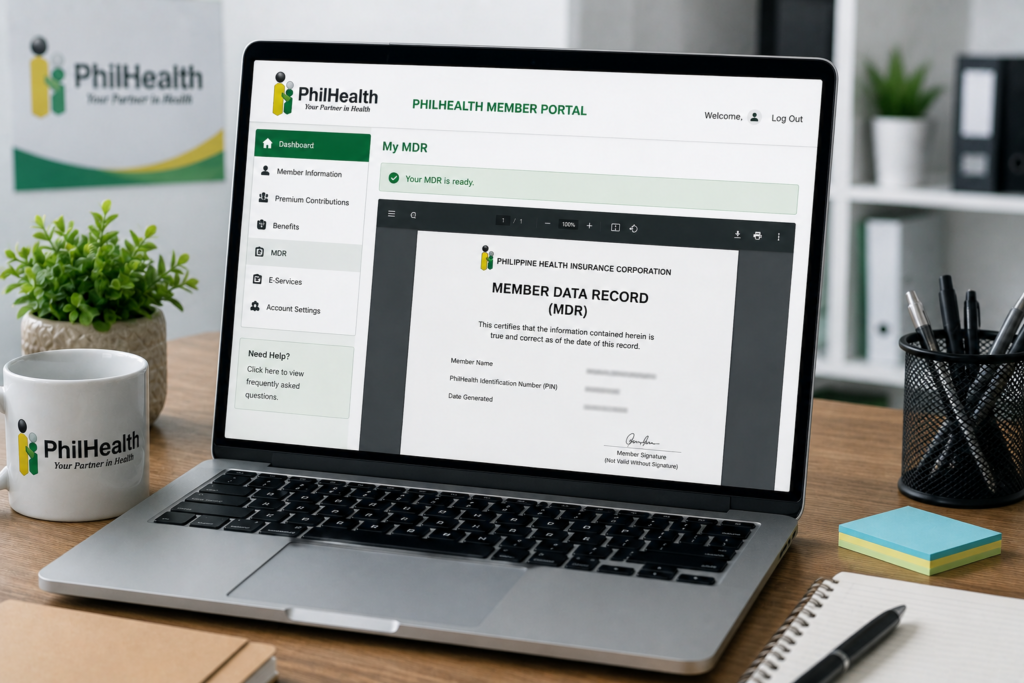
The Member Data Record (MDR) is an official document that contains your complete member profile in the PhilHealth database. Unlike the plastic PhilHealth ID card, which only shows your name and PIN, the MDR provides a detailed breakdown of your record, including:
- Your PhilHealth Identification Number (PIN).
- Your full name, date of birth, sex, and civil status.
- Your permanent address and contact details.
- Your membership category (e.g., employed, voluntary, self-employed).
- The names, relationship, and birthdates of your registered **qualified dependents**.
Having an updated copy of this document is crucial when claiming health benefits under the Universal Health Care Law. Hospitals use it to verify that you meet the minimum contribution requirements on the PhilHealth contribution table and to confirm that your hospitalized dependent is officially registered under your account.
Eligibility: Who Can Download the MDR Online?
Any registered PhilHealth member who has set up an online profile in the Member Inquiry portal is eligible to download their MDR. This includes:
- Formally employed workers in private companies or government offices.
- Self-employed freelancers, entrepreneurs, and sole proprietors.
- Voluntary members, including retirees and non-working spouses.
- Overseas Filipino Workers (OFWs) currently employed abroad.
- Lifetime members who are exempt from paying premiums on the PhilHealth contribution table.
If you have a valid SSS account, you can cross-reference your employment details by checking the SSS contribution table and logging into your account via our guide on My.SSS online setup. This ensures your employment records are consistent across agencies.
Requirements: What Do You Need to Access the Portal?
To successfully download your MDR PDF online, you must have the following credentials ready:
- Your PhilHealth Identification Number (PIN): The 12-digit number assigned to you during your registration. Make sure you meet the baseline PhilHealth ID requirements.
- Your Portal Password: The password you created when registering your member account.
- Access to Your Registered Device: For security, PhilHealth may require security checks or send a verification code to your registered mobile number or email address.
Step-by-Step Process: How to Download Your MDR
Follow these steps to access the portal and download your MDR PDF:
Step 1: Go to the PhilHealth Member Inquiry Portal
Open your web browser on your computer or smartphone and go to the official portal at memberinquiry.philhealth.gov.ph. Ensure you type the URL directly into your browser’s address bar to avoid phishing sites.
Step 2: Log In to Your Account
On the login screen, enter your 12-digit PhilHealth PIN and your password. Complete the security captcha check and click the “Log In” button.
Step 3: Navigate to your Member Information Page
Once you enter the dashboard, your member profile will be displayed. Verify that all your demographic details (such as address and contact info) are correct.
Step 4: Generate Your MDR PDF
Look for the button or icon labeled “Print MDR” or **”Download MDR”** (usually located at the top-right corner of the member information card). Clicking this button will command the portal to generate a secure PDF file of your Member Data Record.
Step 5: Save or Print the Document
A print preview window will open showing your MDR. You can choose to:
- Select “Save as PDF” to save the file directly to your smartphone’s download folder or your computer’s drive.
- Send the document directly to a connected printer to secure a hard copy.
Keep the saved PDF file on your mobile device so you can access it immediately during medical emergencies.
Processing Time: How Fast is the Download?
The download process is **instantaneous**. Unlike physical applications at SSS or PhilHealth branches which can take hours of waiting, the online Member Inquiry portal generates your MDR PDF dynamically from their database in real-time.
Once you click the download button, the file is ready to save in milliseconds. You can print it on standard bond paper, and it is immediately valid for hospital submissions. If you need to make changes to your record (such as correcting names or registering new dependents), you must submit a correction request, which will update your online profile within **1 to 3 business days**. Refer to our guide on how to add dependents to PhilHealth for details.
Frequently Asked Questions
Why are my dependents not showing on my downloaded MDR?
If your dependents are not listed, it means you have not officially registered them under your account yet. You must submit an updated PhilHealth Member Registration Form (PMRF) along with their PSA birth or marriage certificates to register them. Read our guide on how to add dependents to PhilHealth for step-by-step instructions.
I forgot my PhilHealth portal password. How can I download my MDR?
If you cannot remember your password, go to the login screen and click the “Forgot Password” link. SSS and PhilHealth provide similar security reset options; the portal will send a password recovery link to your registered email address. Click the link, create a new password, and log in to download your MDR.
Is the downloaded online MDR accepted at all hospitals?
Yes. By order of PhilHealth, all accredited hospitals and healthcare facilities in the Philippines must accept the printed online MDR as valid proof of membership. It does not need a dry seal or a signature from a PhilHealth officer to be valid for benefit claims.
Can I use my downloaded MDR as a valid ID?
The MDR is not a primary photo ID, but it is widely accepted as a valid secondary document for various government transactions. For instance, you can use a printed copy of your MDR when applying for an NBI clearance, updating bank records, or completing passport renewal requirements.
Official Resources
Ensure you are accessing official channels when downloading your sensitive personal documents:
- PhilHealth Member Inquiry Portal (Official MDR Download Portal)
- PhilHealth Main Website (For Member Circulars and Forms)
- PhilHealth Contribution Table 2026 Guide
Conclusion
Downloading your **PhilHealth MDR online** is a simple but essential step in managing your healthcare coverage in the Philippines. By keeping a digital copy of this document saved on your phone, you ensure that you are prepared for unexpected medical emergencies and can claim your hospital benefits without delay.
The Member Inquiry portal generates your MDR PDF instantly, showing your registration status, category, and active dependents. Make sure to check the list of dependents periodically to verify that your family members are covered, and update your records if you notice any typographical errors.
Stay proactive with your health insurance by completing your PhilHealth online registration, keeping your premiums updated on the contribution table, and downloading your MDR before you need it at the hospital.
Disclaimer
PublicServicesDesk.com is an independent informational website and is not affiliated with, endorsed by, or operated by the Philippine Health Insurance Corporation (PhilHealth) or the Philippine Government. Information is provided for general educational purposes only and may change over time. Always verify important details through official PhilHealth channels before submitting applications or making payments.