How to Check National ID Status Online (2026)
You survived the online booking queue. You gathered all your original documents. You took time off work to visit the local registration center, where your fingerprints, iris, and facial photograph were meticulously scanned. Now, you hold a small, unassuming slip of paper containing your Transaction Reference Number (TRN), and the great waiting game begins.
For millions of Filipinos navigating the Philippine Identification System (PhilSys), the most frustrating part of the process is the radio silence following Step 2 (Biometric Capture). Because the physical ID cards are printed securely by the Bangko Sentral ng Pilipinas (BSP) and then distributed nationwide by the Philippine Postal Corporation (PHLPost), the logistical pipeline is massive. Some applicants receive their cards in a few months, while others wait over a year due to persistent printing backlogs.
Fortunately, you do not have to wait entirely in the dark. The Philippine Statistics Authority (PSA) and PHLPost have integrated a robust tracking system that allows you to monitor the exact location of your card. Furthermore, if you urgently need valid identification to open a bank account or apply for a passport, you can check your eligibility to generate a legally binding digital version known as the ePhilID.
In this comprehensive 2026 guide, we will break down exactly how to perform a National ID status check. We will explain how to decode your TRN slip, provide a step-by-step tutorial on tracking your physical card delivery via PHLPost, and detail the common mistakes that cause perfectly valid IDs to be marked as “Return to Sender.”
Key Takeaways
- The TRN is Your Tracking Key: The 29-digit Transaction Reference Number (TRN) printed on the slip given to you after your biometric capture is the only way to track your physical ID. Do not lose this slip.
- PHLPost Handles Delivery: Once the BSP prints your card, it is handed over to PHLPost. You track the physical delivery through the official PHLPost tracking portal, not the PhilSys registration portal.
- “Not Found” is Normal Initially: If you check your TRN a week after your biometrics and it says “Not Found,” do not panic. The tracking number only activates after the physical card has been printed and physically scanned into the PHLPost dispatch facility.
- The ePhilID Alternative: If you cannot wait for the physical card, you can use the ePhilID portal to check if a digital/printable version of your ID has been generated. It holds the exact same legal validity as the PVC card.
- Authorized Representatives: If you are not home when the postman arrives, they will not leave the ID in your mailbox. You must leave an Authorization Letter and a photocopy of your valid ID with a trusted family member.
Overview: Understanding the PhilSys Pipeline
To understand why the status check sometimes yields frustrating results, it is crucial to understand what happens to your data after you leave the registration center.
Once your biometrics are captured (Step 2), your data enters a highly secure queue. First, the PSA runs a rigorous deduplication process (checking your iris and fingerprints against millions of others) to ensure you have not registered twice under different names. Once cleared, a unique PhilSys Number (PSN) is generated for you.
Your data is then securely transmitted to the Bangko Sentral ng Pilipinas (BSP), which is responsible for physically printing the high-security PVC cards. The BSP processes these in massive batches. After printing, the BSP bundles the cards and hands them over to the Philippine Postal Corporation (PHLPost). Only at this exact moment does your TRN become a live tracking number in the logistics system.
Eligibility: Who Can Track Their Status?
Anyone who has successfully completed Step 2 (Biometric Data Capture) of the PhilSys registration process is eligible to track their status.
If you have only completed Step 1 (Demographic Data Capture online via our appointment guide), you cannot track a physical ID. You only possess an Application Reference Number (ARN) for booking an appointment, not a Transaction Reference Number (TRN) for card delivery.
Requirements: The Importance of the TRN
To track your National ID, you need one absolute requirement: Your Transaction Reference Number (TRN).
The TRN is a 29-digit number. It is printed on the official transaction slip handed to you by the PSA registration officer immediately after you finish having your photo and fingerprints taken. The slip usually features a barcode or QR code.
Treat this slip like a winning lottery ticket. Keep it in a safe place, or immediately take a clear photograph of it with your smartphone. If you lose this slip, tracking your card becomes an administrative nightmare, as the PSA hotline will require extensive identity verification to retrieve it for you.
Step-by-Step Process: How to Check Your Status
There are two primary methods to check your status, depending on whether you want the physical card or the digital ePhilID.
Method 1: Tracking Physical Delivery via PHLPost
This is the method to use if you want to know exactly where the physical PVC card is geographically located.
- Locate Your TRN: Retrieve your transaction slip and find the 29-digit TRN.
- Access the Portal: Open your web browser and go to the official PHLPost tracking website (usually
tracking.phlpost.gov.ph). - Input the TRN: Enter the full 29-digit number into the tracking search bar. Ensure there are no spaces or dashes unless explicitly requested by the form formatting.
- Click Track: Press the ‘Track’ button.
- Interpret the Results:
- “Not Found”: Your card is still in the deduplication phase at PSA or in the printing queue at the BSP. It has not yet been handed to PHLPost. (This is normal for the first few months).
- “Received at Processing Center”: PHLPost has your card and is sorting it for regional dispatch.
- “En Route to Delivery Office”: Your card is on a truck heading to your local city/municipal post office.
- “Out for Delivery”: The local postman has your card in their bag today. Ensure someone is home!
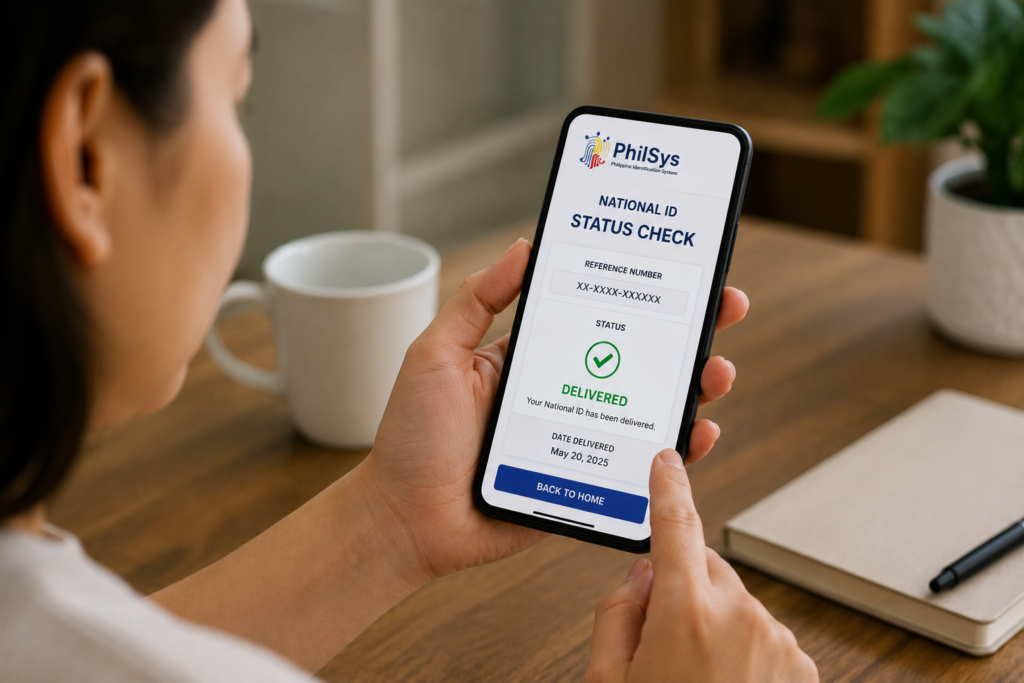
- “Delivered”: The card was successfully handed over and signed for.
Method 2: Checking ePhilID Availability
If your PHLPost tracking says “Not Found,” but you urgently need a valid ID for a transaction (like opening a bank account or claiming a remittance), you should check if your digital ePhilID is ready.
- Access the ePhilID Portal: Go to the official ePhilID appointment portal (usually
appt.philsys.gov.ph). - Enter TRN: Input your 29-digit TRN.
- System Verification: The system will check the PSA database. If your PSN has been generated (meaning you passed the deduplication checks), the portal will allow you to proceed.
- Book Claim or Download: Depending on the rollout phase in your area, you will either be prompted to book an appointment at a local PhilSys center to have the ePhilID printed on official security paper, or you will be sent an OTP allowing you to download a secure PDF version directly to your mobile device.
Processing Time: Why the Long Wait?
The processing time for the physical National ID is the most criticized aspect of the PhilSys project. While the PSA initially estimated a turnaround of a few months, reality has seen many citizens waiting up to a year or more.
The delay is primarily due to the printing bottleneck. Millions of Filipinos registered in a very short time frame, creating a massive backlog at the BSP printing facility. The high-security nature of the PVC cards (which contain microchips and holographic overlays) means they cannot be printed quickly on commercial printers.
This is precisely why the PSA launched the ePhilID—to decouple the legal usability of the ID from the physical printing backlog. If you have been waiting more than 3 months, it is highly recommended to check the ePhilID portal rather than obsessively checking the PHLPost tracker.
Common Mistakes that Delay Delivery
Even if your card is printed quickly, human error on the delivery side can cause massive headaches.
- No One is Home (RTS): The National ID is considered highly sensitive registered mail. The postman cannot just drop it in your mailbox or slip it under the door. Someone must physically sign for it. If the postman attempts delivery multiple times and no one is home, the ID will be marked as “Return to Sender” (RTS) and sent back to the central post office.
- Incomplete Address Provided: If you omitted your block, lot number, or barangay during your Step 1 demographic registration, the postman will not be able to find you.
- Failure to Leave an Authorization Letter: If you are at work during the day, you must leave a signed Authorization Letter and a photocopy of your valid ID with a trusted family member who stays at the house. If your sister answers the door without an authorization letter, the postman will refuse to hand over your ID.
Frequently Asked Questions
My tracking status says “Not Found” after 6 months. What do I do?
This simply means the BSP has not finished printing your card yet. Your data is not lost. You should immediately pivot and use your TRN on the ePhilID portal. It is highly likely that your digital ePhilID is ready to be downloaded or printed, allowing you to use the ID immediately while you continue to wait for the PVC card.
Can I track my ID if I lost my TRN slip?
You cannot use the online portals without a TRN. If you lose the slip, you must contact the official PhilSys hotline (1388) or send them a formal email with a scanned copy of your valid ID and birth certificate to request retrieval of your TRN. Alternatively, you can visit the local registration center where you originally applied to seek assistance.
My status says “Delivered” but I never received it.
Check with your immediate family members or your local Barangay Hall/Chairman immediately. Sometimes, local postmen leave bulk deliveries at the Barangay Hall for secure distribution in dense neighborhoods. If it is still missing, you must file a formal missing mail report with your local PHLPost branch.
What if there is a spelling mistake on my delivered ID?
If your ID arrives with a typo in your name or birthdate (due to an error during Step 1), you cannot fix it online. You must visit a PhilSys Registration Center in person with your physical ID and your original PSA Birth Certificate to request a formal correction and a reprint of the card.
Official Resources
For accurate tracking and official grievance reporting, only use these authorized government channels:
- PHLPost Tracking Portal (Physical Delivery)
- PhilSys ePhilID Appointment and Verification Portal
- Philippine Statistics Authority – PhilSys Main Website
Conclusion
The waiting period for the Philippine National ID is undoubtedly testing the patience of millions of citizens. However, by understanding the complex logistics pipeline between the PSA, the BSP printers, and PHLPost, you can manage your expectations and take control of the process.
Performing a National ID status check is as simple as keeping your Transaction Reference Number (TRN) secure and knowing which portal to use. Remember, if the PHLPost tracker shows no results, it does not mean your application failed; it simply means your card is still in the printing queue. In this scenario, your immediate priority should be checking the ePhilID portal.
The ePhilID is a brilliant stop-gap solution provided by the government. By utilizing it, you can bypass the printing bottleneck entirely and secure a legally valid proof of identity today, ensuring you are never blocked from essential banking or government services while you wait for your physical PVC card to arrive in the mail.
Disclaimer
PublicServicesDesk.com is an independent informational website and is not affiliated with, endorsed by, or operated by the Philippine Statistics Authority (PSA), PHLPost, or the Philippine Government. Information is provided for general educational purposes only and may change over time. Always verify important details through official Philippine Government websites before making decisions or submitting applications.