Home > Government Services > National ID Appointment Online
National ID Appointment Online 2026: How to Book, Change or Cancel
The Philippine Identification System (PhilSys), commonly known as the National ID, was created to establish a single, unified, and streamlined identification system for all citizens and resident aliens in the Philippines. Before PhilSys, Filipinos had to navigate a chaotic web of different government IDs—TIN, SSS, GSIS, PhilHealth, Pag-IBIG—just to prove their identity for basic public and private transactions.
The National ID eliminates this bureaucratic nightmare. It is designed to be the ultimate, foundational proof of identity, universally accepted by banks, government agencies, and private institutions. However, due to the sheer volume of the population, rolling out the physical ID cards has been a monumental logistical challenge for the Philippine Statistics Authority (PSA).
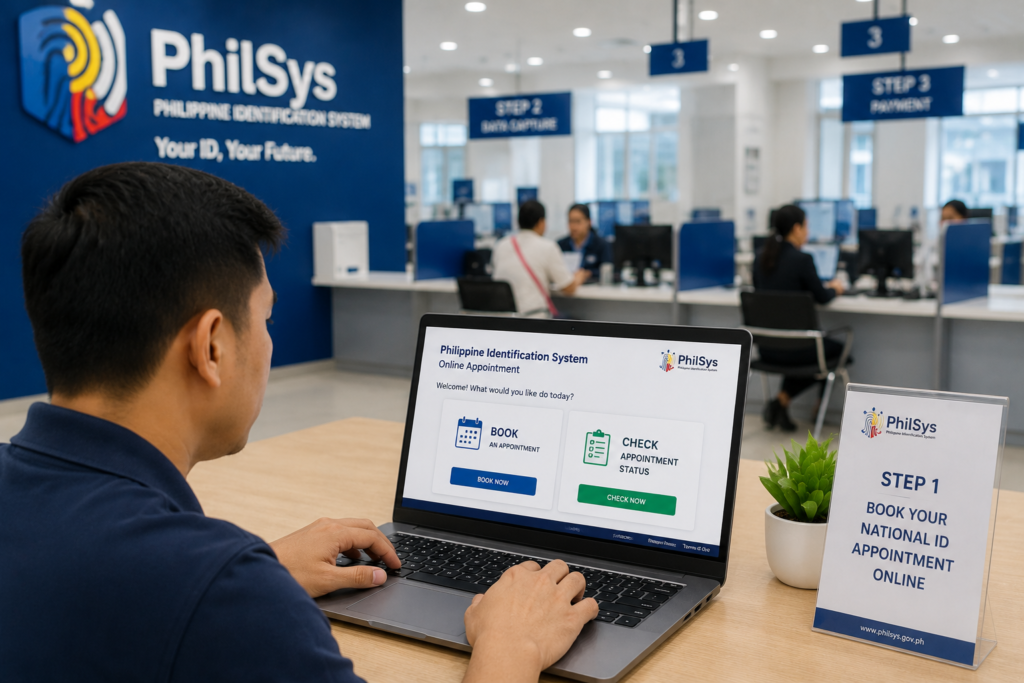
To manage the immense crowds and prevent hours of chaotic queuing at registration centers, the government implemented a digital-first approach for the initial phases of registration. By requiring citizens to secure a National ID appointment online, the PSA ensures that the physical biometric capture process (fingerprints, iris scan, and photograph) is conducted safely and efficiently.
In this comprehensive 2026 guide, we will walk you through everything you need to know about navigating the PhilSys portal. We will explain exactly who is eligible, provide a detailed checklist of acceptable documentary requirements, and give you a meticulous step-by-step tutorial on how to book, reschedule, or cancel your National ID appointment online.
Key Takeaways
- Step 1 is Online: You must complete Step 1 (Demographic Data Capture) online via the official PhilSys portal to generate your Application Reference Number (ARN) before visiting a registration center.
- The ARN is Crucial: Your Application Reference Number (ARN) is your golden ticket. You must save it, screenshot it, or print it. You cannot proceed to Step 2 (Biometrics) without it.
- Strict Document Requirements: You must bring original copies of your supporting documents (like a PSA Birth Certificate or valid Passport) to your appointment. Photocopies alone will result in rejection.
- 100% Free of Charge: The entire registration process for the National ID, including the appointment booking and the initial issuance of the physical card, is absolutely free.
- Rescheduling is Permitted: If you cannot make your chosen timeslot, you can log back into the portal using your ARN to change or cancel your appointment to free up the slot for others.
Overview: Understanding the PhilSys Registration Steps
To fully grasp why you are booking a national ID appointment online, you need to understand the architecture of the Philippine Identification System. The PSA has divided the registration process into distinct, manageable steps.
Step 1: Demographic Data Collection (Online)
This is what you do on your computer or smartphone. You input your personal information (name, address, blood type, marital status) into the secure government portal. Completing this step generates your appointment schedule and your Application Reference Number (ARN).
Step 2: Biometric Information Capture (In-Person)
This occurs on the exact date and time you booked during Step 1. You will visit your chosen PhilSys Registration Center, present your ARN and original documents, and have your photograph, fingerprints, and iris scanned by PSA personnel.
Step 3: Issuance of the PhilSys Number (PSN) and ID Delivery
After your data undergoes rigorous deduplication checks to ensure you haven’t registered twice, a unique PhilSys Number (PSN) is generated. Your physical ID card is then printed and handed over to the Philippine Postal Corporation (PHLPost) for door-to-door delivery.
Eligibility: Who Can Apply?
The mandate of the Philippine Identification System Act (Republic Act No. 11055) is to provide a valid proof of identity for everyone residing in the country. Therefore, the eligibility criteria are incredibly broad.
- Filipino Citizens: All Filipino citizens, regardless of age, residing in the Philippines. (Registration for Filipinos living overseas through embassies and consulates is being rolled out in phases).
- Resident Aliens: Foreign nationals who have been residing in the Philippines for at least six (6) consecutive months and intend to stay.
- Minors: Children can be registered. For children below 5 years old, only demographic data and a front-facing photograph are collected; their PhilSys Number will be permanently linked to their parent or legal guardian’s PSN.
Requirements: What Documents to Bring
The most common reason citizens are turned away at the registration center—despite having a valid national ID appointment online—is because they failed to bring the correct documents. You must bring ORIGINAL copies.
You only need to present one (1) Primary Document. If you do not have a primary document, you must present one (1) Secondary Document.
Primary Documents
These are the strongest forms of identification. Bring any ONE of the following:
- PSA-issued Certificate of Live Birth AND one (1) government-issued identification document which bears your full name, front-facing photograph, and signature or thumb mark.
- Valid Philippine Passport issued by the Department of Foreign Affairs (DFA).
- Unified Multi-purpose Identification (UMID) Card issued by the Government Service Insurance System (GSIS) or Social Security System (SSS).
- Student’s License or Conductor’s License issued by the Land Transportation Office (LTO).
Secondary Documents
If you genuinely cannot produce a primary document, you can bring one of the following secondary documents (provided it shows your full name, photograph, and signature/thumb mark):
- PSA-issued Certificate of Live Birth or NSO-issued Certificate of Live Birth (even without an accompanying ID, though additional verification questions may be asked).
- Senior Citizen’s ID.
- Voter’s ID issued by the COMELEC.
- Police Clearance or NBI Clearance.
- PWD ID (Persons with Disabilities).
- Valid School ID (for students).
- Barangay Clearance/Certificate containing your photo and signature.
Step-by-Step Process: Booking Your Appointment Online
Securing your timeslot is a straightforward digital process. Ensure you have a stable internet connection and a valid mobile number before you begin.
Step 1: Access the Official Portal
Open your web browser and navigate to the official PhilSys registration portal. (Note: Always ensure the URL ends in .gov.ph to avoid phishing scams).
Step 2: Enter Your Mobile Number or Email
You will be prompted to enter your mobile number or email address. The system will send a One-Time Password (OTP) to verify your contact information. Enter the OTP to proceed.
Step 3: Fill Out the Demographic Form
Carefully input your demographic details. This includes your full name, sex, date of birth, place of birth, blood type, marital status, and permanent address. Double-check every spelling. If you misspell your name here, it will cause immense delays during Step 2.
Step 4: Choose Your Registration Center
The system will ask you to select a province and municipality. It will then display a list of available PhilSys Registration Centers in your chosen area (these are often located in local shopping malls, municipal halls, or dedicated PSA offices).
Step 5: Select Your Date and Time
A digital calendar will appear showing available slots. Green dates usually mean there are plenty of slots, while red means the day is fully booked. Click on your preferred date and select an available time (e.g., 09:00 AM – 10:00 AM).
Step 6: Save Your Application Reference Number (ARN)
Once you confirm the booking, the system will generate a summary page displaying your Application Reference Number (ARN) and a QR code.
Crucial Step: Take a screenshot of this page, print it out, or write the ARN down carefully. You will need to present this at the registration center.
How to Change or Reschedule Your Appointment
Life happens. If you realize you have a conflict and cannot attend your scheduled biometric capture, do not simply “no-show.” Rescheduling is easy and frees up the slot for another citizen.
- Return to the official PhilSys online portal.
- Look for the option to log in or manage an existing appointment.
- Enter the mobile number or email address you used during your initial registration.
- Enter the OTP sent to your device.
- The dashboard will display your current active appointment. Look for the button labeled “Reschedule” or “Change Schedule.”
- You will be taken back to the calendar view. Select a new date and time from the available slots.
- Confirm the changes. The system will update your record and issue a new confirmation receipt. Your ARN remains the same.
How to Cancel Your Appointment
If you are relocating entirely or cannot foresee when you will be available, you may wish to completely cancel your appointment rather than just rescheduling.
- Access the PhilSys portal and log in using your registered mobile number and OTP.
- Locate your active appointment dashboard.
- Click the “Cancel Appointment” button.
- The system will ask you to confirm your decision, warning you that canceling will forfeit your timeslot.
- Click “Confirm.” Your slot is now open for someone else. You will need to start the Step 1 process over again when you are ready to re-apply.
Processing Time and Delivery (The ePhilID)
Booking the appointment and completing Step 2 (Biometrics) only takes about 15 to 30 minutes at the registration center. However, the waiting time to receive the actual physical card can be lengthy due to the massive backlog in card printing.
The ePhilID Solution:
To ensure citizens can immediately use their National ID for transactions, the PSA introduced the ePhilID. This is a digital/printable version of the National ID that holds the exact same validity and legal power as the physical card.
Shortly after completing your biometrics, you may receive an SMS notification indicating that you are eligible to download your ePhilID. You can use your Transaction Reference Number (TRN)—given to you on a slip of paper at the registration center—to book a separate appointment to claim your printed ePhilID, or download a digital version if the mobile service is active in your area.
Eventually, the physical PVC card will be delivered to the address you provided during Step 1 via PHLPost. You can track the delivery status using the tracking portal provided by PHLPost.
Common Mistakes to Avoid
Ensure your PhilSys registration goes smoothly by avoiding these frequent errors:
- Typographical Errors: Rushing the online form and misspelling your middle name or entering the wrong birth year. The staff at the center will notice the discrepancy when checking your Birth Certificate, forcing you to manually correct it and delaying the line.
- Forgetting the ARN: Showing up to the center without your ARN or QR code. The staff cannot easily pull up your record without it.
- Photocopies Only: Bringing xerox copies of your UMID or Passport. The PSA strictly requires the presentation of original documents for verification.
- Missing the Time Slot: Arriving at 3:00 PM when your national id appointment online was booked for 9:00 AM. While some centers try to be accommodating, strict centers will force you to reschedule to avoid overcrowding.
- Wearing Heavy Makeup or Colored Contacts: Step 2 involves a highly sensitive iris scan and facial recognition capture. Colored contact lenses must be removed, and heavy contouring makeup can interfere with the biometric software.
Frequently Asked Questions
Is the National ID registration completely free?
Yes. The entire process—from booking the national id appointment online, to the biometric capture, to the delivery of the physical card—is 100% free of charge. If anyone online offers to “fast-track” your appointment for a fee, it is a scam.
Can I just walk in without an online appointment?
While the PSA strongly encourages everyone to book an appointment online to guarantee a slot, many local registration centers have begun accepting “walk-in” applicants, especially in provincial areas. However, walk-ins are heavily dependent on the daily capacity of the specific center. If you walk in, you risk being turned away if the center is fully booked with scheduled appointments.
What is the difference between an ARN and a TRN?
The Application Reference Number (ARN) is generated before your appointment during the online Step 1 process. The Transaction Reference Number (TRN) is given to you on a transaction slip after you successfully complete your biometric capture at the registration center. You use the TRN to track your card’s delivery or claim your ePhilID.
What if I lose my Transaction Reference Number (TRN) slip?
Keep your TRN slip safe, treating it like a receipt. If you lose it, tracking your physical card becomes very difficult. You may need to contact the PhilSys grievance hotline or visit your local PSA office with valid identification to retrieve your details.
Official Resources
For the most accurate, up-to-date information, always refer directly to the official government channels:
- Official PhilSys Registration Portal (Step 1)
- Philippine Statistics Authority – PhilSys Main Website
- PHLPost Tracking Portal (For ID Delivery)
Conclusion
Securing your National ID appointment online is the critical first step toward establishing a robust, universally accepted digital identity in the Philippines. The PhilSys project represents a massive leap forward in streamlining government and financial transactions, eliminating the need to carry half a dozen different agency IDs.
By taking ten minutes to complete Step 1 (Demographic Data Capture) via the official portal, you ensure that your visit to the physical registration center is fast, organized, and stress-free. Remember to double-check your spelling, safeguard your Application Reference Number (ARN), and always bring the original copies of your supporting documents (like your PSA Birth Certificate) to your biometric capture.
Even if the physical ID card takes months to arrive in your mailbox, the immediate availability of the ePhilID ensures you can start enjoying the benefits of a unified national identification system almost immediately. Don’t delay—book your appointment today and take your place in the Philippines’ digital future.
Disclaimer
PublicServicesDesk.com is an independent informational website and is not affiliated with, endorsed by, or operated by the Philippine Statistics Authority (PSA), the Philippine Government, or the PhilSys project. Information is provided for general educational purposes only and may change over time. Always verify important details through official Philippine Government websites before making decisions or submitting applications.