Home >
SSS Contribution Table 2026 Explained: Latest Rates & Calculations
For every working Filipino, the Social Security System (SSS) is a cornerstone of retirement planning and social security. It provides vital protection against sickness, maternity, disability, unemployment, and retirement. However, SSS is not a passive benefit; it relies on monthly contributions paid by members and their employers throughout their working years.
To keep the pension fund viable for future generations, the SSS implemented a series of gradual contribution increases under Republic Act No. 11199 (the Social Security Act of 2018). In 2026, the SSS contribution rate stands at 14% of the Monthly Salary Credit (MSC). This rate is applied across a tiered table of salary brackets, determining exactly how much is deducted from an employee’s salary and how much an employer must contribute.
Navigating these brackets can be confusing, especially with the introduction of the mandatory **Worker’s Investment and Savings Program (WISP)** for higher earners. In this comprehensive 2026 guide, we explain the **SSS Contribution Table 2026**, who is eligible, what you need to calculate your share, and a step-by-step breakdown of how to make your payments online.
Key Takeaways
- The 14% Contribution Rate: In 2026, SSS contributions are calculated at 14% of the Monthly Salary Credit (MSC).
- Employer-Employee Split: For formally employed members, the 14% rate is split: the Employer pays 9.5% and the Employee pays 4.5%.
- WISP is Mandatory for High Earners: Members with a Monthly Salary Credit exceeding Php 20,000 are automatically enrolled in WISP, a safe, government-run provident fund that acts as an additional retirement savings program.
- Minimum & Maximum Limits: The minimum Monthly Salary Credit is Php 4,000 (minimum contribution of Php 560), and the maximum MSC is Php 30,000 (maximum contribution of Php 4,200).
- PRN is Compulsory: You must generate a Payment Reference Number (PRN) via your My.SSS account before paying any contributions.
Overview: SSS Contribution Table 2026
The SSS Contribution Table is a matrix of salary brackets used to determine a member’s Monthly Salary Credit (MSC) and corresponding contribution. Instead of calculating 14% against your exact net salary, the SSS groups salaries into Php 500 increments (e.g., Php 14,750 to Php 15,249.99). Each group is assigned a flat Monthly Salary Credit (in this case, Php 15,000), which is the basis for the 14% calculation.
This system standardizes deductions and makes it easier for payroll systems to process contributions. More importantly, your MSC history directly determines the value of your benefits. When you apply for a salary loan, sickness benefit, maternity benefit, or retirement pension, SSS calculates your payouts based on your average Monthly Salary Credits. Higher contributions lead to larger pensions and loan limits.
Eligibility: Who Must Pay SSS Contributions?
Welfare and insurance coverage under the SSS is mandatory for most working Filipinos, and voluntary for others:
- Mandatory Coverage:
- Private-sector employees, including temporary, casual, and provisional workers.
- Self-employed individuals, including freelancers, business owners, artists, and professionals earning at least Php 3,000 monthly.
- Overseas Filipino Workers (OFWs) who are currently employed abroad.
- Kasambahays (domestic workers) earning at least Php 1,000 per month.
- Voluntary Coverage:
- Non-working spouses of active SSS members.
- Separated members (former employees who want to continue contributions on their own).
Requirements: What Do You Need to Calculate Your Share?
To accurately calculate and track your SSS contributions under the 2026 rules, you will need:
- Your Gross Monthly Salary: For employees, this includes your basic pay but generally excludes tax-exempt allowances and bonuses. For self-employed members, this is your declared monthly income.
- Your SSS E-1 Form or SS Number: You need your SSS number to log in and register your payments. If you don’t have an online profile yet, check out our My.SSS Online Registration Guide.
- Payment Reference Number (PRN): A unique, real-time code generated for every payment cycle. You cannot pay SSS contributions at banks or payment centers without a PRN.
Step-by-Step Process: How to Calculate and Pay
Follow this step-by-step workflow to check your salary bracket, calculate your deduction, and pay online:
Step 1: Determine Your Monthly Salary Credit (MSC) Bracket
Look at your gross monthly earnings. Locate where your earnings fall on the SSS Contribution Table. For instance, if you earn Php 18,300 per month, your earnings fall into the Php 18,250 – Php 18,749.99 bracket, giving you an MSC of Php 18,500.
Step 2: Calculate Your Contribution Share
Multiply your MSC by the SSS rate. For example:
- For Employees: Multiply your MSC by 4.5% (your employee share). If your MSC is Php 18,500, your share is
18,500 * 0.045 = Php 832.50. Your employer will contribute 9.5% (Php 1,757.50), making a total contribution of Php 2,590.00. - For Self-Employed or Voluntary Members: Multiply your MSC by the full 14%. For an MSC of Php 18,500, you pay
18,500 * 0.14 = Php 2,590.00.
Step 3: Generate a Payment Reference Number (PRN)
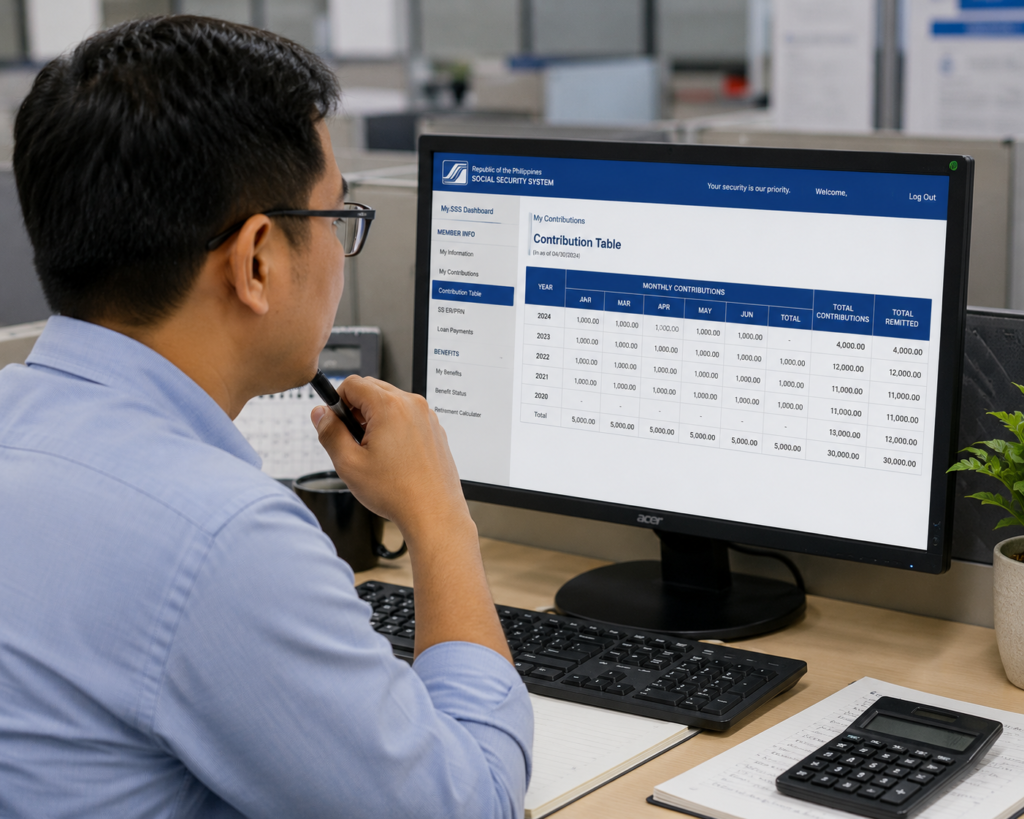
Log in to your account at the My.SSS Member Portal. Navigate to the “Payment Reference Number (PRN)” module. Select the payment type (e.g., voluntary, self-employed) and choose the month(s) you wish to pay. The portal will generate your PRN code instantly.
Step 4: Make the Payment Online
You do not need to visit an SSS office to pay. Use the SSS Mobile App, your online banking portal, or mobile wallets (like GCash or Maya). Select “Govt Bills,” choose “SSS,” enter your PRN, and pay. The payment will post to your contribution ledger almost instantly.
2026 Contribution Tables & Calculations
Below are detailed examples and tables representing the SSS contribution rates for 2026.
For Employed Members (Employer-Employee Split)
For employees, SSS contributions are split. The employer pays 9.5%, while the employee pays 4.5% of the Monthly Salary Credit (MSC).
| Range of Compensation | Monthly Salary Credit (MSC) | Employer Share (9.5%) | Employee Share (4.5%) | Total Contribution |
|---|---|---|---|---|
| Below Php 4,250.00 | Php 4,000.00 | Php 380.00 | Php 180.00 | Php 560.00 |
| Php 9,750.00 – Php 10,249.99 | Php 10,000.00 | Php 950.00 | Php 450.00 | Php 1,400.00 |
| Php 19,750.00 – Php 20,249.99 | Php 20,000.00 | Php 1,900.00 | Php 900.00 | Php 2,800.00 |
| Php 29,750.00 and Above | Php 30,000.00 | Php 2,850.00 | Php 1,350.00 | Php 4,200.00 |
For Self-Employed, Voluntary, and Non-Working Spouses
Self-employed and voluntary members do not have employers to split the cost. They are responsible for the entire 14% contribution, based on their declared earnings.
| Range of Compensation | Monthly Salary Credit (MSC) | Total Contribution (14%) |
|---|---|---|
| Below Php 4,250.00 | Php 4,000.00 | Php 560.00 |
| Php 14,750.00 – Php 15,249.99 | Php 15,000.00 | Php 2,100.00 |
| Php 24,750.00 – Php 25,249.99 | Php 25,000.00 | Php 3,500.00 |
| Php 29,750.00 and Above | Php 30,000.00 | Php 4,200.00 |
For Overseas Filipino Workers (OFWs)
To ensure OFWs build a sufficient retirement pension, the SSS enforces a mandatory minimum Monthly Salary Credit of Php 8,000 for land-based OFWs. This means the minimum monthly SSS contribution for an OFW is Php 1,120.
Understanding WISP Contributions
If you earn more than Php 20,000 per month, you are automatically enrolled in the **Worker’s Investment and Savings Program (WISP)**.
WISP is a safe, mandatory provident fund that acts as an additional retirement savings account. The standard SSS program only applies up to a maximum MSC of Php 20,000. Any contributions corresponding to the salary portion *above* Php 20,000 (up to the Php 30,000 limit) are automatically directed into your WISP account.
Example of WISP Allocation:
If your MSC is Php 25,000:
– The first Php 20,000 of your MSC goes to the Regular SSS program (Contribution: Php 2,800).
– The remaining Php 5,000 of your MSC goes to the WISP program (Contribution: Php 700).
– Total Contribution: Php 3,500.
When you retire, you will receive your regular monthly pension *plus* a lump-sum payout of your WISP savings (including any investment earnings accumulated over the years).
Frequently Asked Questions
What happens if my SSS contribution is not posted?
If you pay your contributions but they do not appear on your My.SSS ledger within 3 business days, it is likely due to a system delay or an incorrect PRN code. Contact SSS member services or your employer’s HR department with your payment receipt to request a posting correction.
Can I change my SSS membership category from employed to voluntary?
Yes. If you leave your job and want to continue paying contributions on your own, you can change your category. You do not need to visit a branch; simply log in to your My.SSS account, generate a new PRN, select “Voluntary Member” as your category, and make your payment. The system will automatically update your status.
Can I pay my SSS contributions retroactively?
Generally, no. SSS does not allow voluntary or self-employed members to pay for past, missed months retroactively. You can only pay for the current month or current quarter. However, employers are legally required to settle any unpaid contributions for their employees, including penalties for late payments.
How do I verify SSS contribution details for loan eligibility?
To qualify for an SSS Salary Loan, you must have paid at least 36 monthly contributions, with 6 of those payments made within the last 12 months. You can log in to your member portal and navigate to the “Inquiry” section to check if your posted contributions satisfy these rules before applying.
Official Resources
Keep your financial transactions secure by only using authorized SSS portals:
- SSS Main Portal (Official Contribution Tables and Announcements)
- My.SSS Portal Login (Generate PRN and View Ledger)
- National ID Requirements Guide
Conclusion
Understanding the **SSS Contribution Table 2026** is essential for tracking your contributions, qualifying for SSS loans, and building a secure retirement pension. By verifying your monthly salary credit bracket, you can ensure that your payroll deductions are correct and your employer is remitting your contributions on time.
For self-employed and voluntary members, utilizing the My.SSS portal to generate your mandatory Payment Reference Number (PRN) allows you to pay your contributions securely online, saving you hours of waiting in queues. Be sure to pay attention to your WISP balances if you are a high earner, as this provident program acts as an additional savings buffer for your future.
Take charge of your social security ledger today by setting up your My.SSS account, calculating your contribution share, and making sure your payments are posted regularly.
Disclaimer
PublicServicesDesk.com is an independent informational website and is not affiliated with, endorsed by, or operated by the Social Security System (SSS) or the Philippine Government. Information is provided for general educational purposes only and may change over time. Always verify important details through official SSS channels before submitting applications or making payments.





[…] For step-by-step instructions on downloading or printing the ePhilID, see our SSS Contribution Table guide. […]
[…] registering an account? A: No. Contribution records are only accessible through your verified My.SSS account or the mobile app after registration.Disclaimer: NationalIDDigital.ph is an independent resource. […]