How to File Taxes in Canada 2026: Step-by-Step Guide for First-Time & Returning Filers
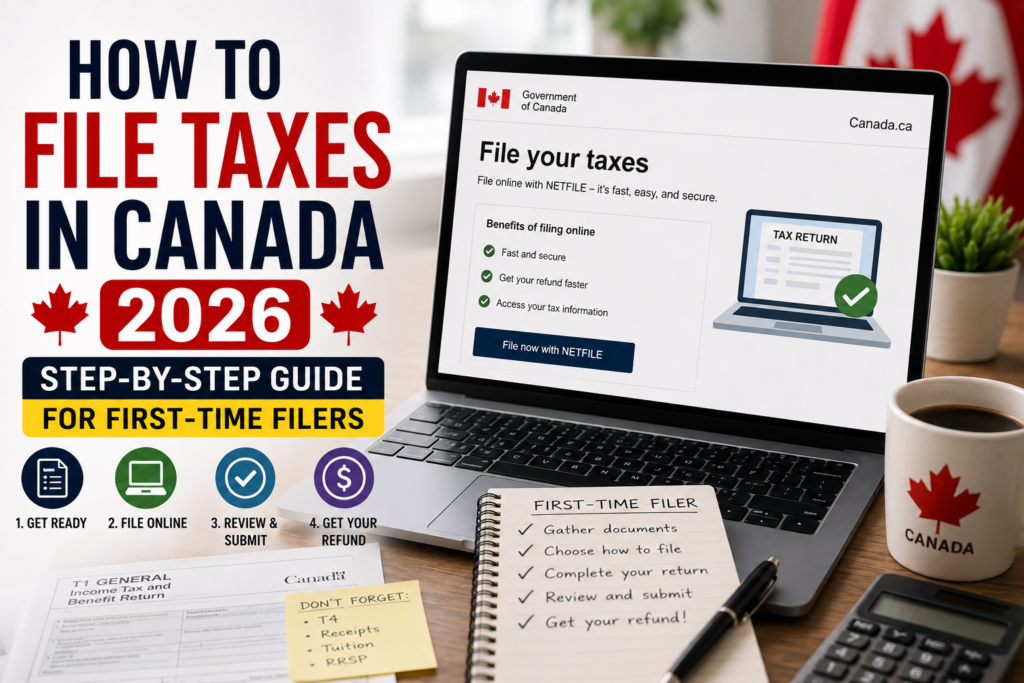
Filing your taxes in Canada doesn’t have to be complicated. Whether you’re a first-time filer, a newcomer, or someone who’s been filing for years, this complete guide walks you through every step of how to file taxes in Canada for the 2026 tax season. From gathering your documents to submitting your return and claiming every deduction you’re entitled to, we’ve got you covered.
⚡ Key Deadlines for 2026: The tax filing deadline for most Canadians is April 30, 2026. If you or your spouse are self-employed, you have until June 15, 2026 to file — but any balance owing must still be paid by April 30 to avoid interest charges [citation:5][citation:7][citation:12].
Why Filing Your Taxes in Canada Matters
Every Canadian resident who earns income is required to file a personal tax return with the Canada Revenue Agency each year [citation:5]. But filing is about more than just staying compliant — it’s also how you access valuable government benefits.
- Government benefits: Filing determines your eligibility for the GST/HST credit, Canada Child Benefit (CCB), Canada Carbon Rebate, and provincial benefit programs [citation:5][citation:7].
- RRSP contribution room: Filing builds your RRSP contribution room for future years [citation:5].
- Even with no income: If you earned little or no income, filing is still recommended to access refundable credits [citation:14].
- Citizenship applications: Good tax compliance is reviewed for future citizenship applications [citation:14].
📌 First-Time Filers
First-time filers do not have a NETFILE Access Code — leave the field blank in your tax software [citation:2][citation:6]. If you’re a newcomer to Canada, you must file a return for the year you became a tax resident [citation:7].
Important Tax Deadlines for 2026
Missing a CRA deadline is one of the most avoidable — and most expensive — tax mistakes you can make [citation:5]. Mark these key dates on your calendar.
| Deadline | Date (2026) | What It’s For |
|---|---|---|
| RRSP Contribution Deadline | March 2, 2026 | Last day to contribute to an RRSP for the 2025 tax year [citation:12] |
| Personal Tax Filing Deadline | April 30, 2026 | Deadline to file your 2025 personal income tax return [citation:5][citation:12] |
| Tax Payment Deadline | April 30, 2026 | Deadline to pay any balance owing to avoid interest [citation:5][citation:12] |
| Self-Employed Filing Deadline | June 15, 2026 | Extended deadline for self-employed individuals and their spouses [citation:5][citation:7] |
⚠️ Late Filing Penalties
If you owe taxes and file late, the CRA charges a 5% penalty on the unpaid balance immediately, plus 1% interest per month for up to 12 months [citation:5][citation:14]. Filing on time, even if you can’t pay immediately, always reduces your total cost [citation:5].
Step 1: Gather All Your Tax Documents
Before you start, collect every financial document from the previous calendar year. Having everything ready makes the process faster and less stressful [citation:5].
Income Documents You’ll Need
- T4 slip — Employment income from every employer you worked for [citation:5][citation:9]
- T4A slip — Freelance income, pension, scholarships, or government payments [citation:5]
- T5 slip — Investment income, including dividends and interest [citation:5][citation:9]
- T3 slip — Income from mutual funds or trusts [citation:5]
- T4E slip — Employment Insurance benefits received [citation:5]
- T4RSP slip — RRSP withdrawals [citation:5]
- Rental income records — If you own a rental property [citation:5]
- RL slips — If you lived or worked in Québec [citation:9]
Deduction and Credit Documents
- RRSP contribution receipts [citation:5]
- Tuition tax certificate (T2202) — For post-secondary students [citation:5][citation:9]
- Medical expense receipts [citation:5]
- Childcare expense receipts [citation:5]
- Union or professional dues receipts [citation:5]
- Home office expense records — If working from home [citation:5]
- Charitable donation receipts [citation:5]
- Moving expense receipts — If you moved at least 40 km closer to a new job or school [citation:5]
Most employers and financial institutions send these slips by the end of February. If you’re missing a slip, log into your CRA My Account — most slips are available there electronically [citation:5][citation:10].
Step 2: Choose Your Filing Method
There are three main ways to file your personal tax return in Canada. Each option suits a different type of taxpayer [citation:5].
Option 1: CRA-Certified Tax Software (NETFILE)
This is the most popular method for most Canadians. You enter your information into approved tax software like TurboTax, Wealthsimple Tax, or H&R Block, and submit your return directly to CRA electronically through NETFILE [citation:5][citation:10]. Most returns are processed within two weeks [citation:5][citation:10].
Recommended if: Your tax situation is simple (employment income, basic deductions) [citation:1][citation:5].
Option 2: Hire a Professional Tax Accountant (EFILE)
If your tax situation is complex — self-employed, rental income, multiple income sources — working with a professional is the smartest choice [citation:5]. A qualified accountant files electronically through CRA’s EFILE system and ensures every eligible deduction is claimed [citation:5].
Recommended if: You’re self-employed, have rental income, foreign income, or haven’t filed in multiple years [citation:5]. Recent data shows that tax professionals often find additional refunds averaging $2,900 for their clients [citation:14].
Option 3: Paper Filing by Mail
Paper filing is still available but is the slowest option. The CRA takes up to 12 weeks to process paper returns compared to two weeks for electronic submissions [citation:5][citation:15].
Recommended if: You have no access to a computer or the internet [citation:5].
Step 3: Set Up Your CRA My Account (Optional but Recommended)
Setting up a CRA My Account is optional but highly recommended. It allows you to automatically download income slips, RRSP and tuition receipts, and carryforward amounts directly into your tax software using the Auto-fill My Return service [citation:1][citation:10].
To set up your CRA My Account, visit the official CRA website and register using your SIN, date of birth, and prior-year tax return information [citation:1].
📌 NETFILE Access Code (NAC): Your NAC is an optional 8-character code found on your Notice of Assessment. It adds an extra layer of security and makes authentication easier if you need to call the CRA [citation:2][citation:6][citation:11]. You can skip this field if you don’t have it or are a first-time filer [citation:2][citation:6].
Step 4: Claim Every Deduction and Tax Credit You’re Entitled To
Deductions reduce your taxable income, while tax credits reduce the amount of tax you owe. Both save you real money, and both are frequently missed [citation:5].
Most Valuable Deductions for Canadian Taxpayers
- RRSP contributions — Fully deductible dollar for dollar from your taxable income [citation:5][citation:8]
- Child care expenses — Daycare, camp, and babysitter costs for children under 16 [citation:5][citation:13]
- Union and professional dues — Fully deductible if required for your employment [citation:5]
- Moving expenses — If you moved at least 40 km closer to a new job or school [citation:5][citation:8]
- Home office expenses — A portion of rent, utilities, and internet qualifies if you work from home [citation:5][citation:13]
- Employment expenses — Tools, uniforms, and work-related costs your employer required you to pay [citation:5]
Commonly Missed Tax Credits
- Basic Personal Amount — A non-refundable credit every Canadian receives automatically [citation:5][citation:8]
- Medical expense tax credit — Prescriptions, dental work, glasses, and eligible medical costs [citation:5][citation:8]
- Tuition tax credit — Reduces tax for post-secondary students; unused amounts can be carried forward indefinitely [citation:5][citation:8]
- Disability tax credit — Significant relief for eligible individuals and caregivers [citation:5][citation:8]
- Canada Caregiver Credit — For those supporting a dependent with a physical or mental impairment [citation:5][citation:8]
- First-Time Home Buyers Amount — A $10,000 credit for eligible first-time buyers [citation:5][citation:8]
- Canada Workers Benefit — A refundable credit for low-income workers [citation:5][citation:8]
- Student loan interest — Interest paid on government student loans [citation:5][citation:8]
📌 Refundable vs. Non-Refundable Credits
Non-refundable credits reduce your tax owing to zero but don’t generate a refund [citation:5][citation:8]. Refundable credits like the Canada Workers Benefit and GST/HST credit can put money back in your pocket even if you owe no tax [citation:5][citation:8].
Step 5: Review Your Return and Submit
Before you hit submit, take a few minutes to review everything carefully. The most common filing errors that trigger CRA reviews include [citation:5]:
- Transposing digits on a SIN number or income amount
- Forgetting to report income from a second job or side work
- Claiming a deduction without proper supporting documentation
- Entering a credit amount on the wrong line
If you’re using tax software, most programs flag potential errors automatically [citation:5]. If you’re working with an accountant, review the completed return before it’s filed and ask questions about anything you don’t understand [citation:5].
Payment Options If You Owe Taxes
If your return shows a balance owing, you must pay by April 30 to avoid interest charges [citation:5][citation:10]. Payment options include [citation:5]:
- Online banking through your financial institution using CRA’s My Payment service
- CRA My Account online using a debit card
- In person at your bank or credit union
- By mail using a cheque payable to the Receiver General for Canada
Frequently Asked Questions About Filing Taxes in Canada
Expert Tips for a Smooth Tax Filing Experience
- Stay organized: Keep all your documents in one place throughout the year [citation:1].
- File on time: Even if you can’t pay immediately, filing on time avoids penalties [citation:5].
- Set up direct deposit: You’ll receive your refund within two weeks rather than waiting for a cheque [citation:5][citation:10].
- Review your Notice of Assessment: After filing, check your NOA carefully — you have 90 days to object to any adjustments [citation:5].
- If your situation is complex, get professional help: Tax professionals often find additional refunds that more than cover their fees [citation:5][citation:14].
✅ Ready to File Your Taxes? Gather your documents, choose a NETFILE-certified tax software, and file before the April 30 deadline. For official information, always refer to the CRA’s official tax page.
📢 Disclaimer: PublicServicesDesk.com is an independent information platform and is not affiliated with the Canada Revenue Agency (CRA) or any Government of Canada department. All guides are for educational purposes only. For official transactions, always refer to canada.ca/cra.
Last updated: July 2026