CRA NETFILE Access Code 2026: What It Is & How to Find Your NAC
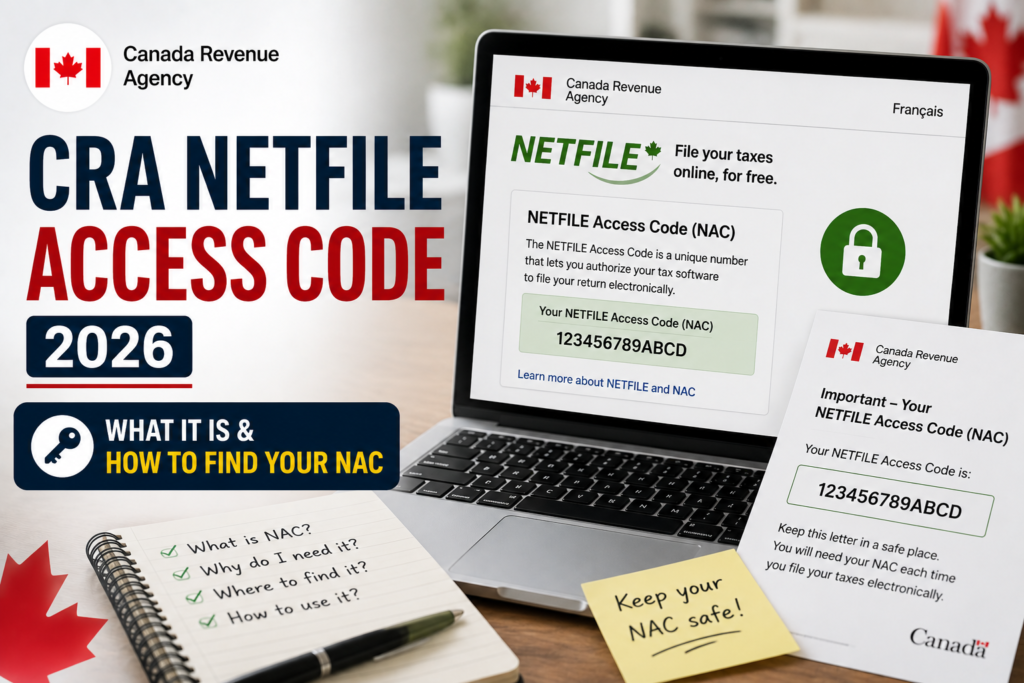
The CRA NETFILE Access Code (NAC) is an 8-character security code the Canada Revenue Agency introduced to verify your identity when you file your tax return online [citation:1][citation:2]. This code adds an extra layer of protection to the NETFILE process, replacing the need to provide specific line numbers from a previous year’s return when contacting the CRA [citation:2].
Whether you’re using tax software like TurboTax or H&R Block, or filing directly through a CRA service, this guide covers everything about the CRA NETFILE Access Code—where to find it, how to use it, and what to do if you’ve lost it.
⚡ Key Takeaway: The CRA NETFILE Access Code is optional—you can file your return without it [citation:1][citation:9]. However, if you don’t enter it, you won’t be able to use your most recent tax return information to confirm your identity with the CRA when you call them [citation:1][citation:9].
What Is the CRA NETFILE Access Code (NAC)?
The CRA NETFILE Access Code is a unique 8-character alphanumeric code assigned to each taxpayer [citation:2]. It was introduced in 2020 (previously called the Internet Access Code or IAC) to provide an additional security measure during the NETFILE transmission process [citation:2].
When you file your tax return using certified tax software, you have the option to enter this code. If the code matches what the CRA has on file, your return is authenticated more securely. This also makes it easier for the CRA to verify your identity if you need to call them about your return [citation:1][citation:2].
Who Needs a CRA NETFILE Access Code?
- Returning filers—anyone who filed a tax return in the previous year and received a Notice of Assessment (NOA) [citation:1].
- First-time filers do not have an access code and should skip this field in their tax software [citation:1][citation:2][citation:9].
- Businesses filing GST/HST returns may need a separate 4-digit GST/HST access code, which is different from the personal NETFILE Access Code [citation:7][citation:8].
Where to Find Your CRA NETFILE Access Code
Your CRA NETFILE Access Code is found on your most recent Notice of Assessment (NOA). Here are the exact locations:
On Your Paper Notice of Assessment (NOA)
Look at the top right corner of the first page of your paper Notice of Assessment. The CRA NETFILE Access Code is an 8-character code located under “Date issued” or in the “Notice details” section [citation:1][citation:2].
In CRA My Account (Online)
If you have access to your CRA My Account:
- Log in and click “Tax returns” in the left-hand menu [citation:6]
- Select your most recent Notice of Assessment [citation:6]
- Find the code on the right side, below your address, labelled “Access code” [citation:1][citation:6]
📌 Important
If you use the Auto-fill My Return service in your tax software, the CRA NETFILE Access Code is automatically filled in—you don’t need to enter it manually [citation:9][citation:11].
How to Use Your CRA NETFILE Access Code in Tax Software
Entering your CRA NETFILE Access Code in your tax software is simple, though optional [citation:1].
Step-by-Step Instructions
- In H&R Block software: On the “Get Started” page, enter your NAC in the field labelled “NETFILE Access Code.” If filing with a spouse, you can enter theirs in a separate field on the same page [citation:1].
- In TurboTax: Locate the NAC field during the NETFILE submission process and enter the code exactly as it appears on your NOA [citation:2].
- In other certified software: The field is typically found in the “NETFILE” or “File” section near the end of the return preparation process.
⚠️ Important: Case-Sensitive
Your CRA NETFILE Access Code is case-sensitive [citation:1]. Enter it exactly as it appears on your NOA—matching uppercase and lowercase letters.
What Happens If You Skip the CRA NETFILE Access Code?
Since the CRA NETFILE Access Code is optional, you can choose to skip it entirely [citation:2][citation:9]. Here’s what that means:
- Your return will still be filed—the CRA will process your return without the code [citation:1].
- You won’t be able to use that year’s tax information to verify your identity when calling the CRA [citation:1][citation:9]. Instead, you’ll need to provide other authentication details [citation:1].
- No penalty—there is no fee or consequence for leaving the field blank.
When You Should Enter the NAC
Consider entering your CRA NETFILE Access Code if:
- You frequently contact the CRA by phone and want easier identity verification [citation:2].
- You want the added security of having your return authenticated during transmission [citation:2].
- You’ve entered it in previous years and want consistency.
NETFILE Access Code Errors: What to Do When It’s Rejected
If you enter your CRA NETFILE Access Code incorrectly, here’s what happens and how to fix it.
Error: “The NETFILE Access Code Did Not Match Our Records”
This error appears if the code you entered doesn’t match what the CRA has on file [citation:1].
Solutions:
- Double-check the code—re-enter it exactly as shown on your NOA or in CRA My Account. Remember, it’s case-sensitive [citation:1].
- You have 5 attempts to enter the correct code. After 5 failed attempts, your account will be locked and you’ll need to contact the CRA [citation:1][citation:2].
- If you can’t get it right, you can simply leave the field blank and file your return without it [citation:1].
Account Locked After 5 Failed Attempts
If your CRA NETFILE Access Code attempts are locked:
- You will receive an error message with a phone number to contact the CRA directly [citation:2].
- Call the CRA to have your account unlocked. Have your SIN and other identification ready.
- You can still file your return by mailing it in, if you prefer [citation:1].
Frequently Asked Questions About the CRA NETFILE Access Code
Expert Tips for Using Your CRA NETFILE Access Code
- Keep your NOA handy—your Notice of Assessment contains your CRA NETFILE Access Code and other important reference information.
- Save the code in a secure place—you’ll likely use the same code each year.
- Enter it carefully—remember the code is case-sensitive [citation:1].
- If you’re unsure, skip it—since it’s optional, you can always file without it if you’re having trouble [citation:1][citation:9].
- Test your login before tax season—ensure you can access CRA My Account to retrieve your code before filing deadlines [citation:9].
- For first-time filers—don’t worry about the code; leave it blank and your return will still be processed [citation:1].
✅ Ready to File Your Taxes? Locate your CRA NETFILE Access Code on your Notice of Assessment or in CRA My Account. Use it for added security, or skip it if you’re a first-time filer. Always use the official CRA e-services portal for secure filing.
📢 Disclaimer: PublicServicesDesk.com is an independent information platform and is not affiliated with the Canada Revenue Agency (CRA) or any Government of Canada department. All guides are for educational purposes only. For official transactions, always refer to canada.ca/cra.
Last updated: July 2026