CRA My Account Login Issues: 2026 Troubleshooting Guide for Locked Accounts
Nothing is more frustrating than being locked out of your CRA My Account when you need to file your taxes, check benefit payments, or respond to a notice. Login issues are one of the most common problems Canadian taxpayers face. The good news is that the CRA has introduced new self-serve tools in 2026 to help you regain access without waiting on hold for hours [citation:1][citation:2].
This comprehensive guide covers every CRA My Account login issue you might encounter — from forgotten passwords to locked accounts, multi-factor authentication problems to the new “Register Again” feature. We’ll walk you through step-by-step solutions so you can get back into your CRA My Account as quickly as possible.
⚡ New in 2026: The CRA has introduced a “Register Again” self-serve option that allows eligible users to regain access to their CRA My Account without calling the CRA [citation:2][citation:3]. This feature works for forgotten credentials, changed banking information, or revoked accounts — as long as you still have access to your existing multi-factor authentication [citation:2][citation:5].
Common CRA My Account Login Issues: What’s Blocking Your Access?
Before diving into solutions, it helps to identify which CRA My Account login issue you’re facing. Here are the most common scenarios:
- Forgotten CRA user ID or password — You simply can’t remember your login credentials [citation:3].
- Account locked due to multiple failed attempts — After too many incorrect entries, your account is temporarily or permanently locked [citation:7].
- Didn’t receive your one-time passcode (MFA) — The multi-factor authentication code isn’t arriving via text or call [citation:9].
- Security code never arrived or expired — Your CRA security code hasn’t been mailed to you or it’s no longer valid [citation:5].
- CRA user ID and password revoked — The CRA has revoked your credentials for security reasons [citation:3][citation:8].
- Sign-In Partner (online banking) no longer works — Your banking credentials have changed or the partner service is unavailable [citation:2].
- Error messages like ERR.019 or ERR.082 — Specific error codes that indicate identity verification or account access issues [citation:4].
Your CRA My Account Is Locked: Step-by-Step Solutions
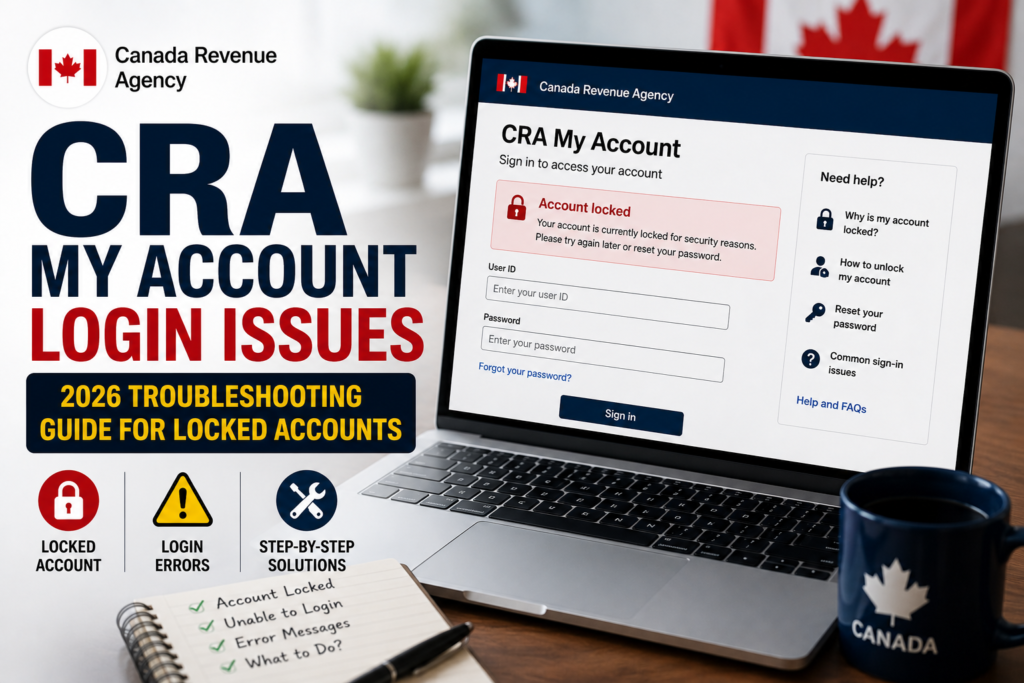
Your CRA My Account can become locked for several reasons. Here’s how to resolve each situation.
Scenario 1: Temporary Lock (30 Minutes)
If you entered the wrong CRA My Account login information or the incorrect one-time passcode for multi-factor authentication (MFA), your account will be temporarily locked for 30 minutes [citation:7]. After that period, you can try again or use another MFA method you’re enrolled with [citation:7].
Important: If this happens 3 times, you will be permanently locked out and will need to contact the CRA [citation:7].
Scenario 2: Permanently Locked Account
If your CRA My Account is permanently locked, you have two main options:
- Option 1: Use the “Register Again” feature (if eligible) — This new self-serve option allows you to create a new CRA user ID and password without calling the CRA [citation:2][citation:6].
- Option 2: Call the CRA at 1-800-959-8281 to have your account unlocked [citation:1].
📌 What to Have Ready
Before calling the CRA, have your SIN, full name, date of birth, and information from your most recent tax return or Notice of Assessment ready. This will help verify your identity and speed up the process.
The CRA “Register Again” Feature: Self-Serve Account Recovery (2026)
Starting in late 2025 and fully available in 2026, the CRA introduced a “Register Again” self-serve option that allows eligible taxpayers to regain access to their CRA My Account without contacting the CRA [citation:2][citation:6].
Who Can Use the Register Again Feature?
You may be eligible if [citation:2][citation:6]:
- You forgot your CRA user ID or password
- You can’t recall the answers to your security questions
- Your online banking credentials (used as a Sign-In Partner) have changed
- Your CRA credential was revoked for security reasons
What You’ll Need to Use Register Again
- Access to your existing multi-factor authentication (MFA) — This is essential [citation:2][citation:5].
- Ability to complete CRA identity verification — This may include document verification or receiving a CRA security code by mail [citation:2][citation:15].
⚠️ Important: What Register Again Does
When you use the Register Again feature, all previous CRA user IDs and Sign-In Partner credentials are permanently removed. This includes credentials linked to online banking sign-in partners. Provincial partner credentials (like the BC Services Card) are not removed [citation:2][citation:6].
You cannot use Register Again if the CRA has locked your account for security reasons — you’ll need to contact the CRA directly in that case [citation:2][citation:5].
Forgot Your CRA My Account User ID or Password?
If you’ve forgotten your CRA My Account credentials but are not locked out, here’s how to recover them.
Recovering Your CRA User ID
On the CRA login page, look for the “Forgot your user ID?” link and follow the instructions. You’ll need to answer your security questions to retrieve your username [citation:3].
Recovering Your CRA Password
If you’ve forgotten your password, click “Forgot your password?” on the login page and follow the prompts. You’ll need to answer your security questions and may be asked to verify your identity [citation:3].
If You Can’t Recover Either
If you can’t recover your user ID or password through the standard methods, you have two options:
- Use the Register Again feature to create a new credential (if eligible) [citation:2].
- Contact the CRA for assistance [citation:1].
Multi-Factor Authentication (MFA) Issues: Not Receiving Your One-Time Passcode?
MFA is now mandatory for all CRA My Account users [citation:7]. If you’re not receiving your one-time passcode, try these solutions [citation:9]:
- Ask for the passcode to be sent again — or to a different phone number you’ve already enrolled with [citation:9].
- Use the “Call me” option instead of “Text me” if you’re using a VoIP service [citation:9].
- Use the passcode grid if you’re already enrolled with that option [citation:9].
- Use a third-party authenticator app if it’s already set up [citation:9].
If none of these options work, you’ll need to contact the CRA to resolve the issue [citation:9].
Backup MFA Requirement (2026)
Starting in February 2026, the CRA requires account users to have a backup MFA option on file [citation:1][citation:10]. When you sign in, you will be prompted to add a backup option before accessing your account. You can choose between a passcode grid or a third-party authenticator app. Telephone will not be an available backup MFA option, although users can continue to use MFA by phone as their primary MFA option [citation:1][citation:10].
📌 Tip: To avoid disruptions, add a backup MFA option to your account today. Sign in, select Security settings on the Welcome page, then Multi-factor authentication, and follow the instructions to add a passcode grid or authenticator app [citation:1].
Haven’t Received Your CRA Security Code?
A CRA security code is required for full access to CRA My Account. Here’s what to do if you haven’t received it or it has expired [citation:5]:
If Your Security Code Hasn’t Arrived After 10 Business Days
- Use the document verification service instead to verify your identity [citation:5][citation:15].
- Contact the CRA to get a new one by mail [citation:5].
If Your Security Code Has Expired
- Use the document verification service instead to verify your identity [citation:5].
- Sign in to request a new CRA security code to be sent by mail [citation:5].
Sign-In Partner (Online Banking) Not Working?
Many Canadians use their online banking credentials as a Sign-In Partner to access CRA My Account. Here’s what to do if this isn’t working [citation:2][citation:5]:
- Try a different sign-in method — You can switch to a different Sign-In Partner or create a CRA user ID and password instead [citation:3][citation:5].
- If your banking credentials have changed, you may need to use the Register Again feature to create a new CRA credential [citation:2].
- If you registered with a provincial partner (like the BC Services Card), you can also create a CRA user ID and password or use a Sign-In Partner by going through the registration process again [citation:5].
CRA Error Codes: What Do ERR.019 and ERR.082 Mean?
If you encounter an error code while trying to register for or access your CRA My Account, here’s what the most common ones mean [citation:4][citation:12]:
ERR.019 — Account Locked or Not Assessed
This error often appears for first-time filers or those whose accounts have been locked [citation:8].
- For first-time filers: You must wait for your Notice of Assessment before you can fully register for CRA My Account. This takes 4-6 weeks after filing [citation:14].
- For others: Your account may be locked due to too many incorrect attempts. You may need to contact the CRA [citation:7].
ERR.082 — Auto-fill My Return Issue
This error occurs when trying to use the Auto-fill My Return feature [citation:4].
- If you recently signed up for CRA My Account, you may not have full access yet. Wait to receive your access code from the CRA before using Auto-fill [citation:4].
- Try these fixes: Log out of CRA My Account in other tabs, use a different web browser, or clear your browser cookies [citation:4].
- Do not register as a representative — this won’t resolve the issue [citation:4].
Technical Issues: Browser, Cookies, and Pop-up Blockers
Sometimes your CRA My Account login issue isn’t with your credentials but with technical factors. Here are common technical fixes [citation:14]:
CRA Service Hours
CRA sign-in services are available 21 hours a day. Due to daily maintenance, they are not available between 3 am and 6 am (Eastern time) [citation:11]. If you’re trying to log in during these hours, wait until after 6 am.
Browser Requirements
Your browser must meet these requirements to access CRA My Account:
- Support Transport Layer Security (TLS) 1.2 or higher
- Have TLS 1.2 or higher enabled
- Have Cookies enabled
- Have JavaScript enabled
Pop-up and Ad Blocker Issues
If you’re using the Auto-fill My Return feature and a pop-up window doesn’t appear, your browser may be blocking it [citation:14].
- For Chrome: Go to Settings → Privacy and Security → Site Settings → Pop-ups and redirects, and add the CRA URL to the Allow list [citation:14].
- For Firefox: Go to Options → Privacy & Security → Permissions, and deselect “Block pop-up windows” or add an exception [citation:14].
- For Internet Explorer: Go to Tools → Internet Options → Privacy tab, and deselect “Turn on pop-up blocker” [citation:14].
Quick Troubleshooting Steps
- Refresh your browser — sometimes a simple refresh fixes the issue [citation:4].
- Try a different browser or a different device [citation:4].
- Clear your cache, cookies, and internet history [citation:4].
- Try using your cellphone’s data instead of WiFi.
- Restart your computer.
Frequently Asked Questions About CRA My Account Login Issues
Expert Tips to Avoid Future CRA My Account Login Issues
- Check your account regularly — Regular access helps you stay aware of any changes or alerts from the CRA [citation:1].
- Don’t wait until tax season to test your login — Access issues are more common when everyone is trying to log in. Test your login before February 23, 2026 [citation:1][citation:10].
- Securely store your CRA user ID and password — Use a password manager and don’t share your credentials with anyone.
- Keep your contact information current — Update your email, phone number, and address in CRA My Account to ensure you receive important communications [citation:10].
- Maintain multiple MFA options — Enroll in more than one multi-factor authentication method so you have a backup if one fails [citation:1][citation:9].
- Be cautious of phishing scams — The CRA will never ask for personal information by email, text, or phone [citation:9].
- Add a backup MFA option now — This will prevent future lockouts and reduce the need to call the CRA during the busy tax season [citation:1][citation:10].
✅ Still Having CRA My Account Login Issues? Try the self-serve Register Again feature on the official CRA website. If that doesn’t work, call the CRA at 1-800-959-8281 for assistance. Always use the official CRA My Account portal.
📢 Disclaimer: PublicServicesDesk.com is an independent information platform and is not affiliated with the Canada Revenue Agency (CRA) or any Government of Canada department. All guides are for educational purposes only. For official transactions, always refer to canada.ca/cra.
Last updated: July 2026